

Pi
Pi can use a model that mashbox serves on your TPU as its LLM. This page sets it up for Qwen3.8-27B on one TPU v6e chip. Your own Pi setup in ~/.pi/agent stays as it is: Pi reads the settings below from a profile folder of its own. These settings are for Pi 1.4.0.
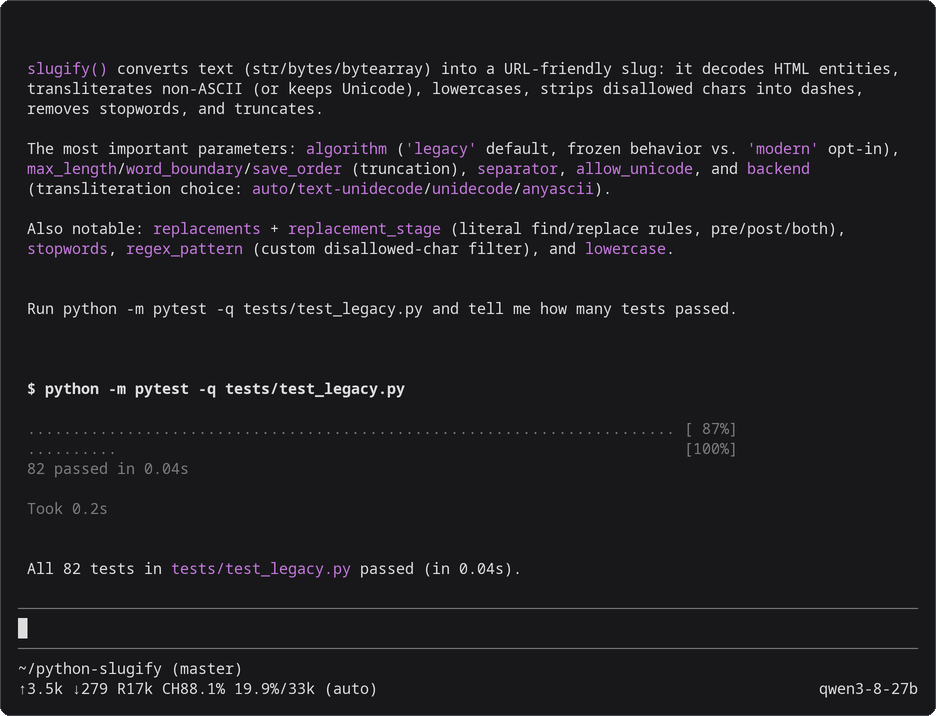
Pi 1.4.0, started with the command in step 2, working against Qwen3.8-27B on a TPU v6e-1. Drawn from the session’s terminal text and colours; nothing edited.
Before you start
Section titled “Before you start”- The
mashboxserver and the SSH tunnel running, from step 1 of Use with coding agents. - Pi installed on your machine.
1. Make the profile folder
Section titled “1. Make the profile folder”mkdir -p ~/.pi/mashboxcat > ~/.pi/mashbox/models.json <<'EOF'{ "providers": { "mashbox": { "baseUrl": "http://127.0.0.1:8000/v1", "api": "openai-completions", "apiKey": "local", "models": [{"id": "qwen3-8-27b", "name": "Qwen3.8-27B on MASHBOX TPU", "contextWindow": 32768, "maxTokens": 4096, "reasoning": false}] } }}EOFcat > ~/.pi/mashbox/settings.json <<'EOF'{ "defaultProvider": "mashbox", "defaultModel": "qwen3-8-27b", "compaction": {"enabled": true, "reserveTokens": 6144, "keepRecentTokens": 8192}}EOF2. Start it
Section titled “2. Start it”In your project folder:
PI_CODING_AGENT_DIR=~/.pi/mashbox pipi alone works as before.
3. Check it
Section titled “3. Check it”PI_CODING_AGENT_DIR=~/.pi/mashbox pi -p "Reply with one word: ready"It ends with ready.
What each setting does
Section titled “What each setting does”| Setting | Why |
|---|---|
baseUrl, api openai-completions |
send every request to the tunnel, over OpenAI chat completions with tool calls; the server does not check apiKey |
contextWindow 32768, maxTokens 4096 |
the server’s context, and room for an answer |
reasoning false |
thinking off, so one long thought cannot use up the context |
reserveTokens 6144, keepRecentTokens 8192 |
Pi compacts at 26,624 tokens and keeps the last 8,192. Pi’s defaults (reserve 16,384, keep 20,000) do not fit a 32,768 context: after one large file read Pi stays stuck on prompt is too long |
Pi documents these in its models page.
Context size
Section titled “Context size”Start the server with --ctx 32768 --slots 1: one conversation of up to 32,768 tokens, which is what fits next to the 26.94 GB of weights on a v6e chip. Pi compacts at 26,624 tokens with the settings above.
Caching
Section titled “Caching”There is nothing to set. Pi’s system prompt is short (about 3,100 tokens with its tools), it sends the whole conversation every turn, and it only adds to the end, so almost every request starts with the one before it. Pi sends no extra requests of its own to this server: it warms a provider’s cache only when the model entry declares cache lifetimes (promptCache), and the entry above declares none.
What you will see
Section titled “What you will see”Pi’s status line shows the cache as the server reports it: R17k is the prompt tokens read from cache so far in the session and CH88.1% the share of the last prompt. The server’s terminal shows the same request:
{"event": "request", "t": "...", "api": "chat", "ua": "pi/1.4.0 (linux; node/v24.14.0; x64)", "session": null, "queue_s": 0.014, "prompt_tokens": 6503, "cached_tokens": 5732, "restored_tokens": 0, "new_tokens": 22, "tools": 4, "tool_calls": 0, "thinking": false, "finish": "stop", "dropped_tools": null, "batch_rows": 1, "ttft_s": 0.363, "total_s": 1.004}5,732 of 6,503 tokens is the 88.1%. In the 9-turn benchmark, 89.5% of Pi’s prompt tokens come from the cache with the host-memory cache and 88.5% without it: Pi sends no extra requests, so it has little to gain.
Troubleshooting
Section titled “Troubleshooting”| What you see | What to do |
|---|---|
prompt is too long: N tokens > 32767 maximum |
start Pi with PI_CODING_AGENT_DIR=~/.pi/mashbox so it uses the compaction settings above, or start a new session |
Connection refused |
the tunnel is down; run step 1 again |
- Use with coding agents: the server, the tunnel, and the three agents side by side.
- Claude Code and Codex.