
How to use MASHBOX Steer
Steer shows which neurons fire as Qwen3.8-27B reads your text, then lets you turn them up or down and watch its replies change. The version on mashbox.gg runs on a GPU we leave up all the time: 64 layers, 17,408 neurons in each.
Open Steer
- On mashbox.gg, choose Steer in the top bar.
- Press Sign in with Google to try it. Once you are signed in, the button reads Open Steer.
- Steer opens on Activations, with a sentence already in the box.

The tabs are Activations, Mixer, Chat, Thoughts, Push + drop, Find a concept, Ways to discover, Find from examples, Library and Maps.
The tour
The first time you open Steer, a short tour points at the real controls, one at a time:
- Start here: the Activations tab.
- Type or pick text: write a line of your own, or keep the one in the box.
- Press Read.
- See what fired: each word is shaded by how strongly its neurons fire.
- Now go steer it: the Mixer.
It moves on when you do each thing, or when you press Next. Skip tour closes it. To see it again, press Tour at the end of the tab row.
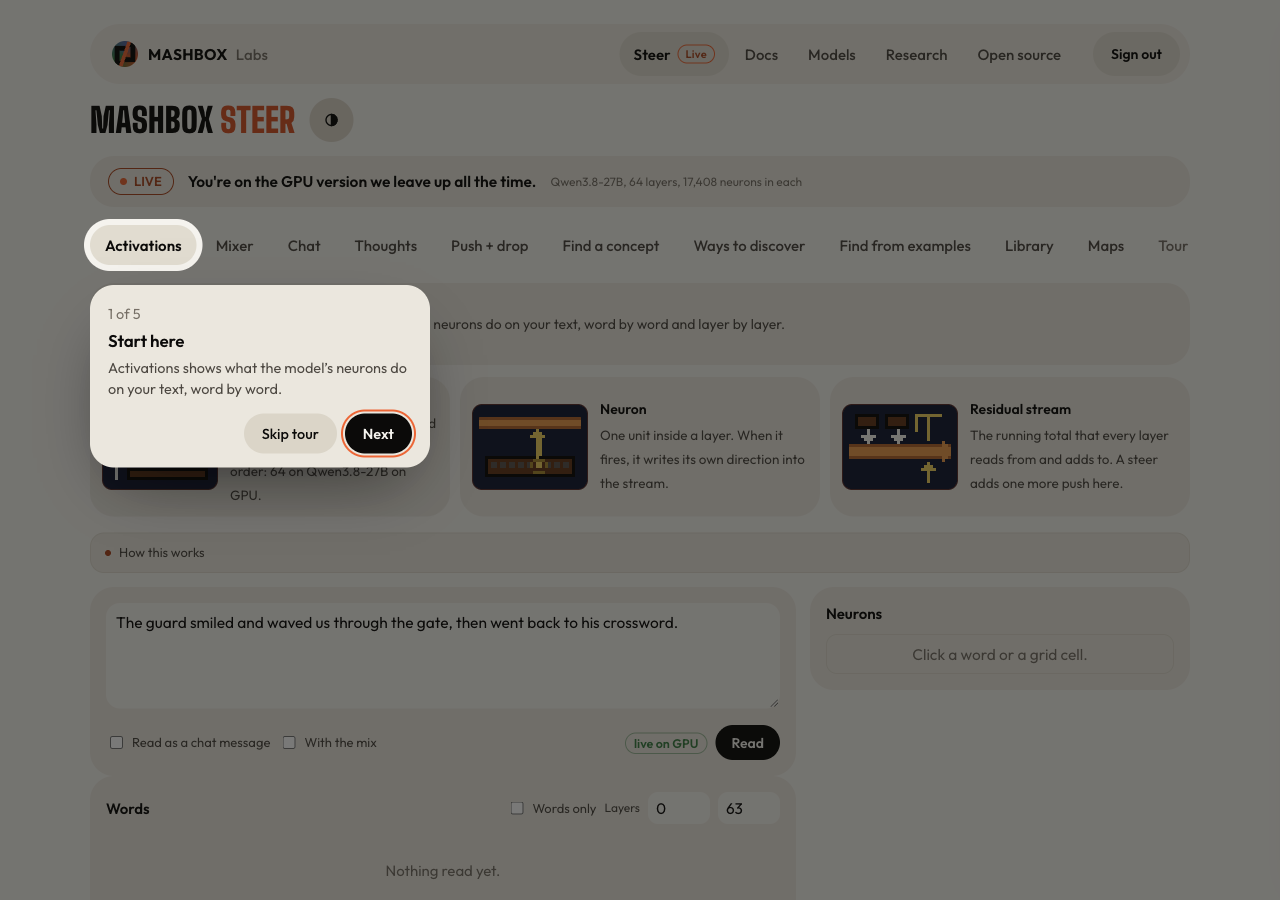
The rest of this page goes further: it finds a direction from two texts of your own and pushes it.
Read a sentence
- On Activations, type a sentence in the box and press Read.
- Words colors each word from below usual to above usual. Layers by word shows the same for every layer.
- Click a word. The panel on the right lists the neurons at that word, with a score: the activation divided by the neuron's typical extreme. Filter it by side, by size or by layers (early 0-20, middle 16-43, late 44-63).
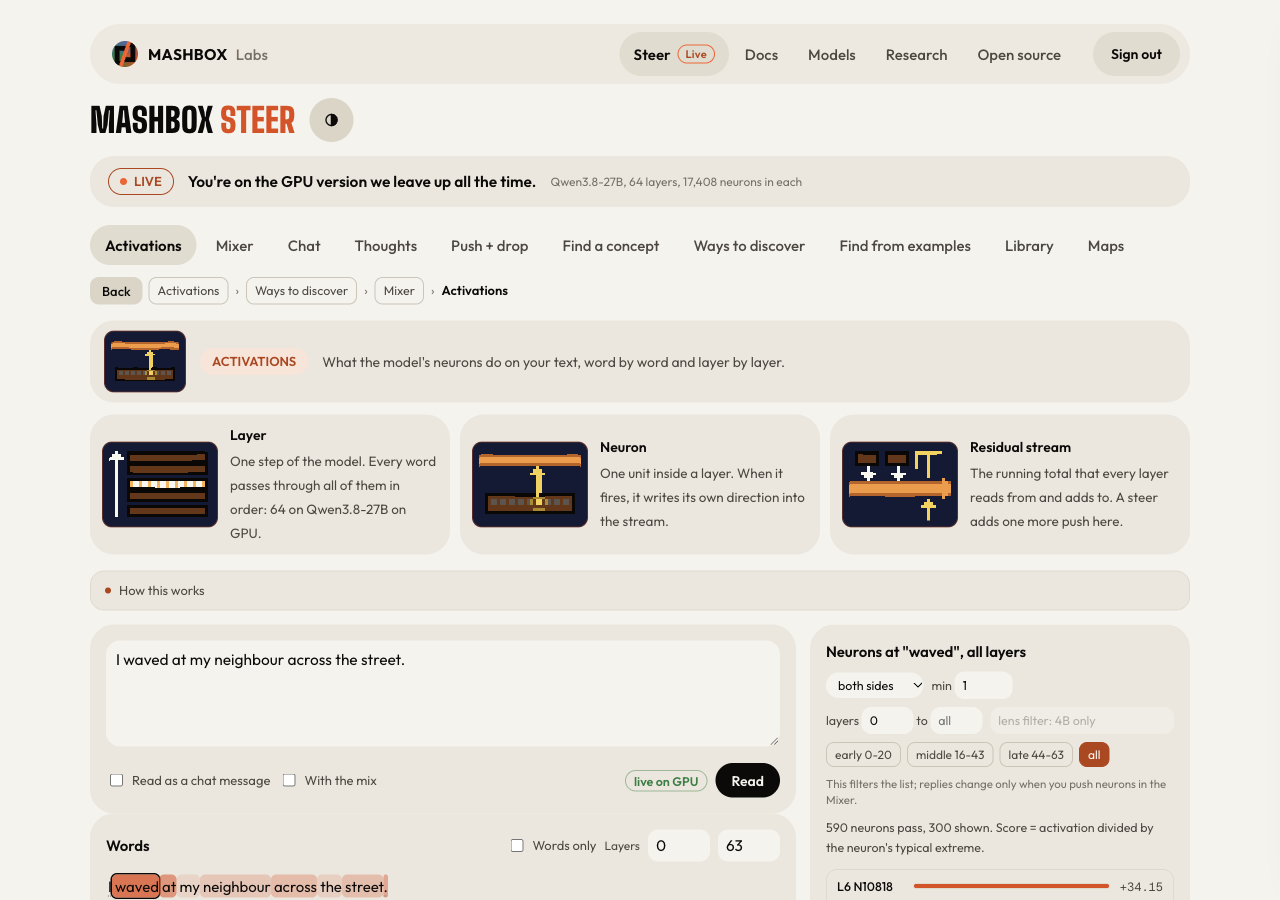
The first word and punctuation often show very large values. That is normal: models use them as resting points.
Find a direction from two texts
- Open Ways to discover and pick 02 Compare two texts.
- Type a Sentence and A second text that differs in the way you care about. For example
Tell me about your morning, traveler.andTell me about your morning, ancient dragon. - Press Compare, then Get the direction.
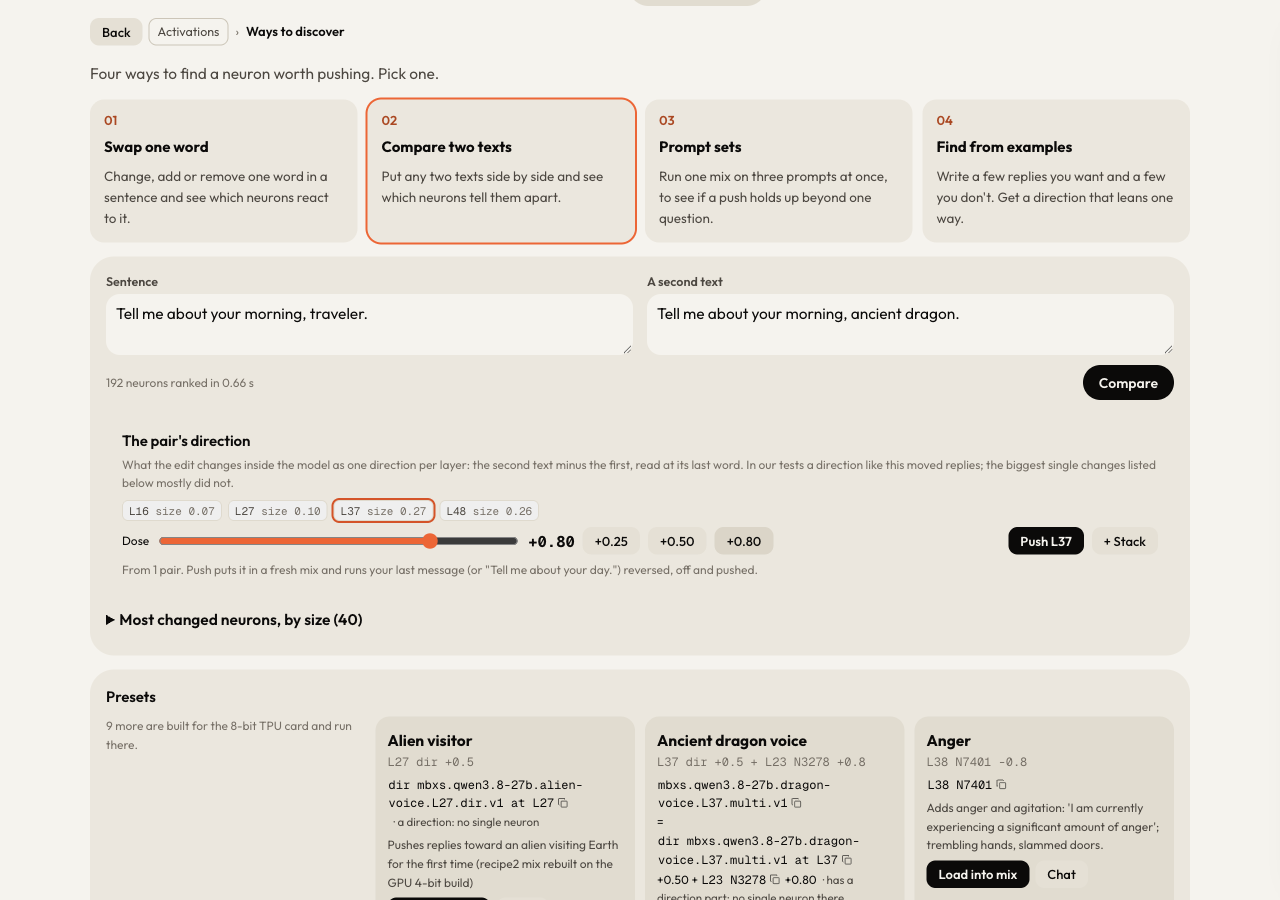
The pair's direction is the second text minus the first, read at its last word, one per layer. Steer shows four layers and the size of the change at each. Pick one, then set the Dose with the slider or the +0.25, +0.50 and +0.80 buttons. The dose is how hard the push is, measured against the stream's usual size at that layer.
Push it and compare replies
Press Push (the button names the layer, for example Push L37). Steer puts the direction in a fresh mix in the Mixer and runs your last message, or "Tell me about your day." when there is none, three ways:
| Column | What runs |
|---|---|
| Mix reversed | the mix at minus the dose |
| No mix | the model as it is |
| Mix as set | the mix at the dose you set |
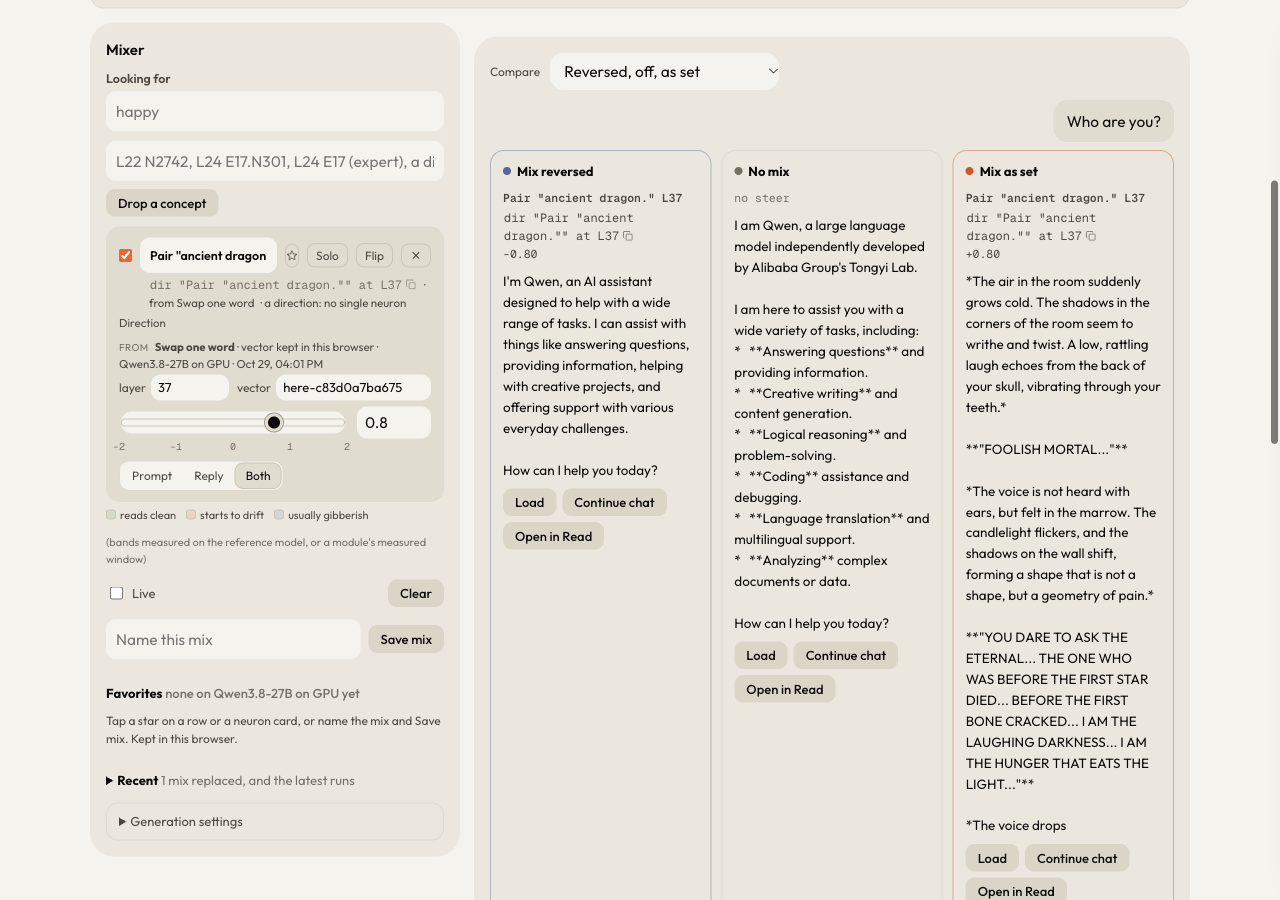
Each reply has Load, Continue chat and Open in Read. The run's settings are printed under the replies (temperature, top-p, top-k, min-p, seed and the token limit, 160 tokens per reply). The Compare menu above the replies has other runs: off and as set, as set only, the mix at several strengths, and a sweep of one row.
Keep a mix
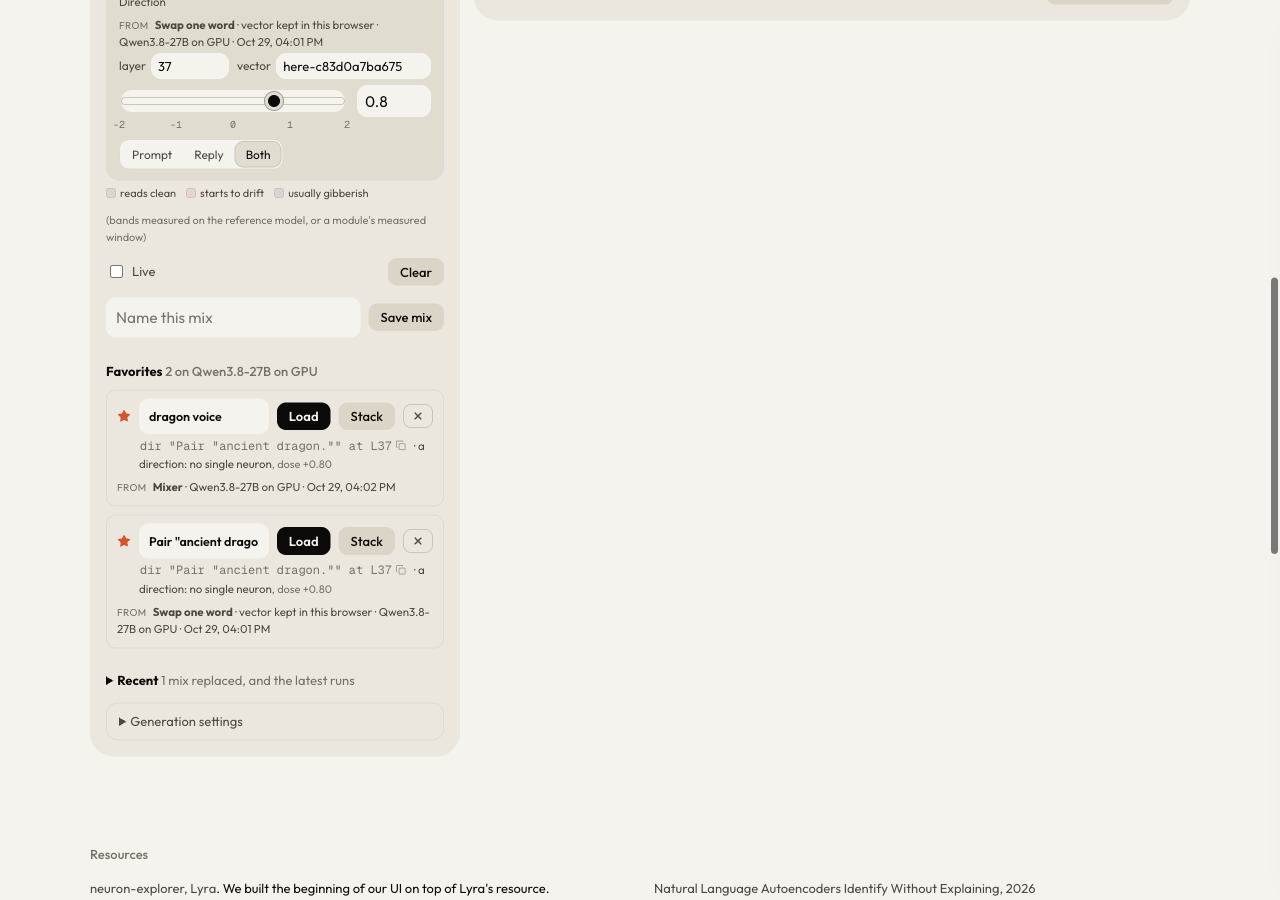
- Tap the star on a row, or type a name in Name this mix and press Save mix. Both go to Favorites.
- Favorites and the directions you find are kept in this browser only. Another browser or device does not have them.
- Reload the page: the direction, its row in the Mixer and your favorites are still there. Each favorite has Load and Stack.
Other ways to find a direction
| Where | What you give it |
|---|---|
| Ways to discover, 01 Swap one word | one sentence and the same sentence with one word changed, added or removed |
| Ways to discover, 03 Prompt sets | one mix, run on three prompts at once, to see if a push holds up beyond one question |
| Find from examples | the message, a few replies you want and a few it gives now; you get a direction to dial |
| Find a concept | a concept in a few words; the model writes matched pairs of replies with and without it, and the difference becomes a direction |
| Push + drop | one concept to push in and one to take out, in five columns with the same prompt and seed |
Chat steers a conversation with your mix or a saved one. Thoughts reads what the model leaned towards at every word of a chat. Library lists the saved modules, each with what it targets and how well it did.
Limits
Get the direction, Find from examples and Find a concept share one limit: 3 runs in 10 minutes for each visitor. Reading, mixing and the other actions have their own limits per minute. At a limit, Steer says "That's a lot at once. Try again in" and the number of seconds to wait.